
You can submit your timesheet by logging into our timesheet portal using this link.
Your username is your email. If you've forgotten you password you can click "Forgot Password" on the sign in page and follow the steps to reset your password.
Steps:
1. If you have multiple assignments, select the name of the assignment from the drop-down at the top of the portal.
2. From the calendar on the left, select the week to enter time for.
3. Select how you want to create the timesheet and then select the Create button.
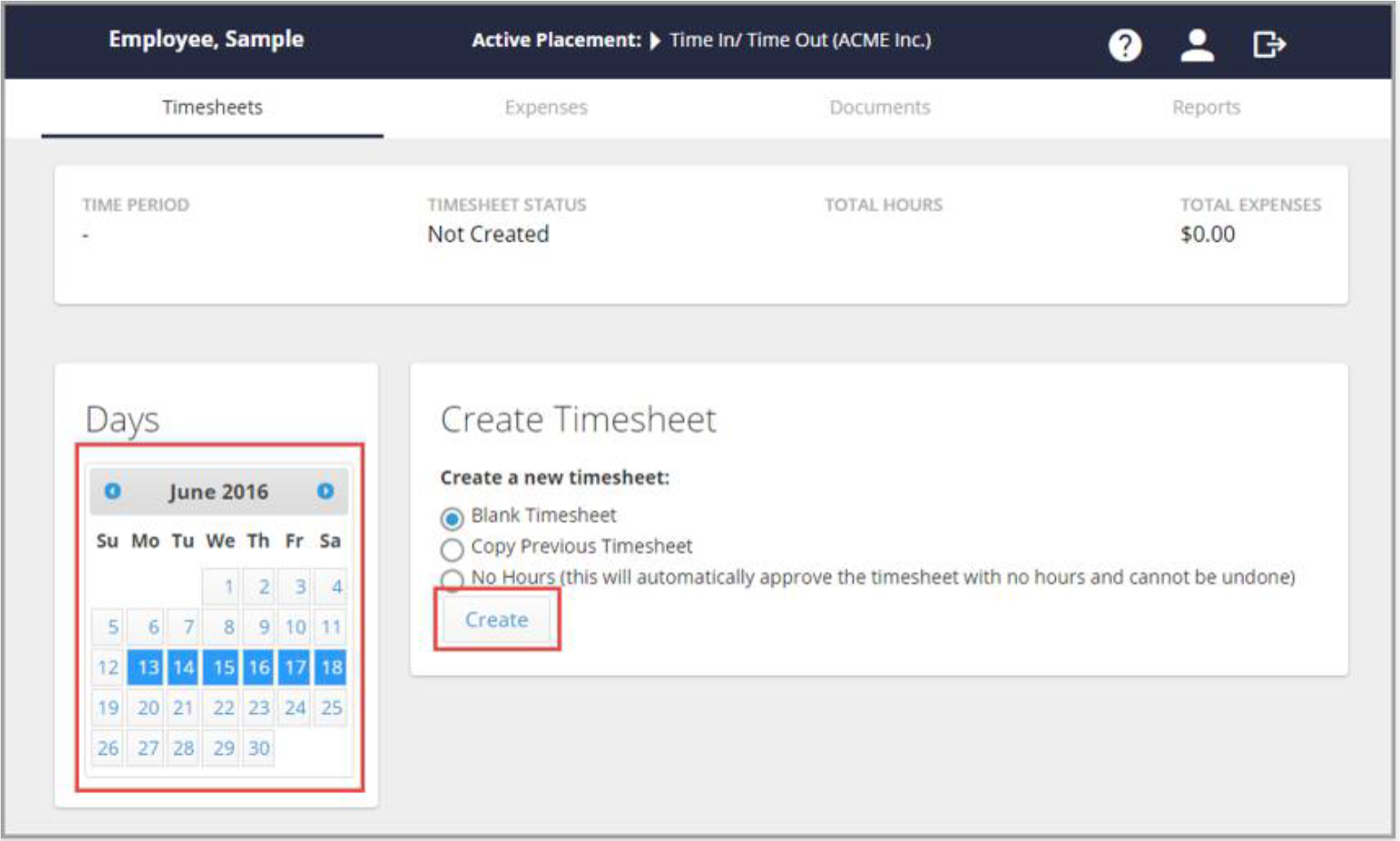
4. On the left side of the screen, select the day to enter time for.
5. In the Time In and Time Out fields, enter the details for your workday; select Add Block for each increment of time, along with the Hours Type: Normal, Lunch, or Sick.
Example: If you took a lunch break, in the first Time In and Time Out fields, enter the time you both started your work day and then left for lunch. Then, select Add Block and enter the time you both started and ended your lunch. Finally, pick Add Block once more to enter the remainder of your work day.
You can add as many blocks of time as you would like. To delete a block of time, select the trash can, and confirm that you want to delete from the pop-up.
6. If necessary, add any notes regarding the workday in the Notes field.
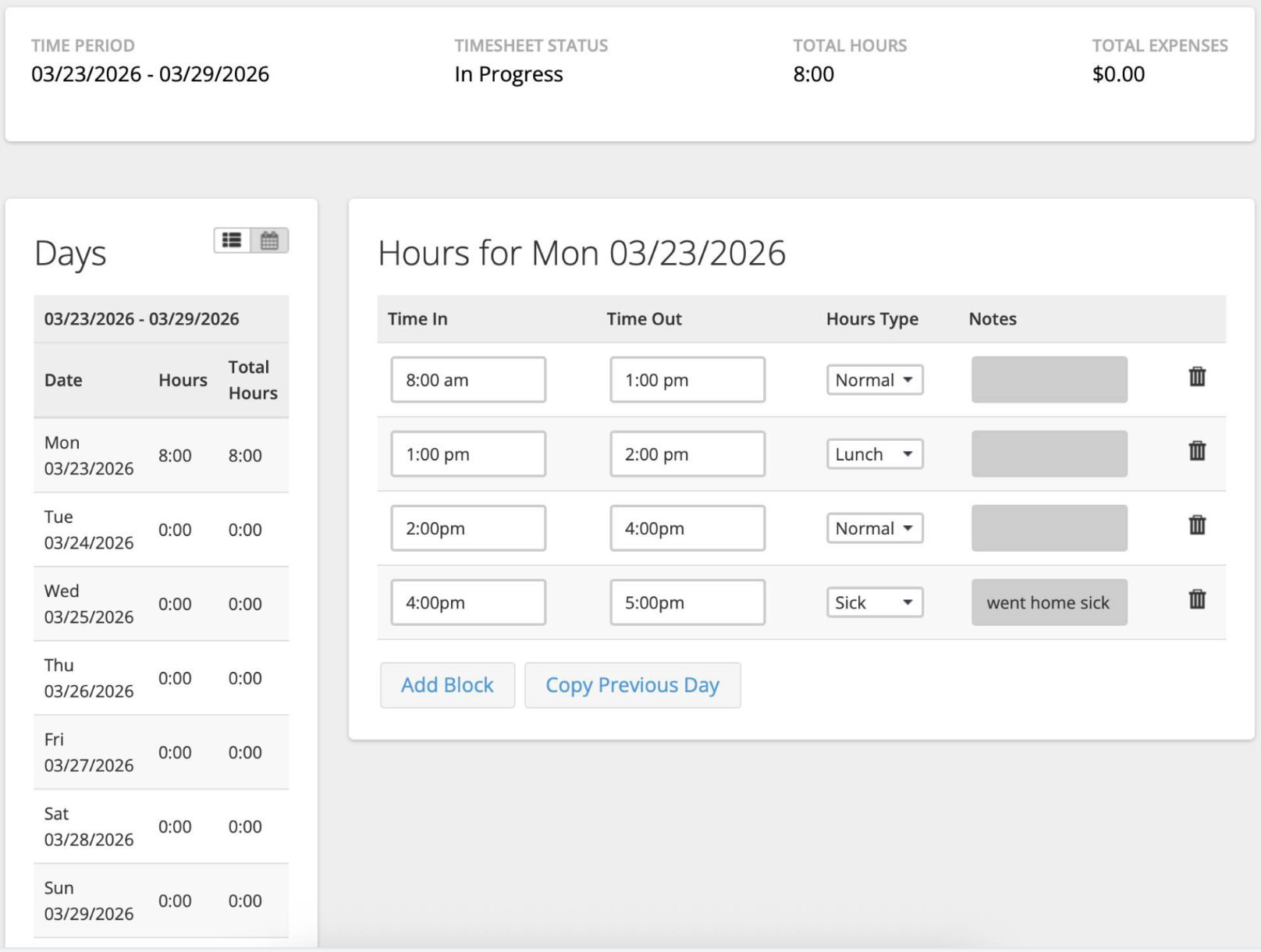
7. Repeat steps 4-6 for each work day. Alternatively, you can also select Copy Previous Day if you work the same schedule each day.
8. Once finished entering hours for the week, select Submit Timesheet at the bottom of the page and accept any notifications that pop up.
Timesheets are due Mondays at noon for the previous week's time.
By following these steps, you’ll ensure timely and accurate payment processing, as well as proper tracking of your work hours and sick leave.
Paystubs, address and contact information, direct deposit set-up, tax status updates, and information on benefits are housed in UKG, a separate system from where you enter your time. You should have received an activation link from UKG at the start of your assignment.
For any questions or further assistance, please contact your Candidate Success Manager.
Thank you for your attention to detail in completing your timesheets!